Step 1: Access the Book Catalogue
Navigate to the Menu.
Under the Catalogue section, select Books.
Step 2: Search or Filter Books
Use the search bar to look up a specific book by name or book number.
You can also filter by supplier to browse and add multiple books at once.
Step 3: Add a Single Book
Click on the book you’d like to add.
Select “Add this book to my collections.”
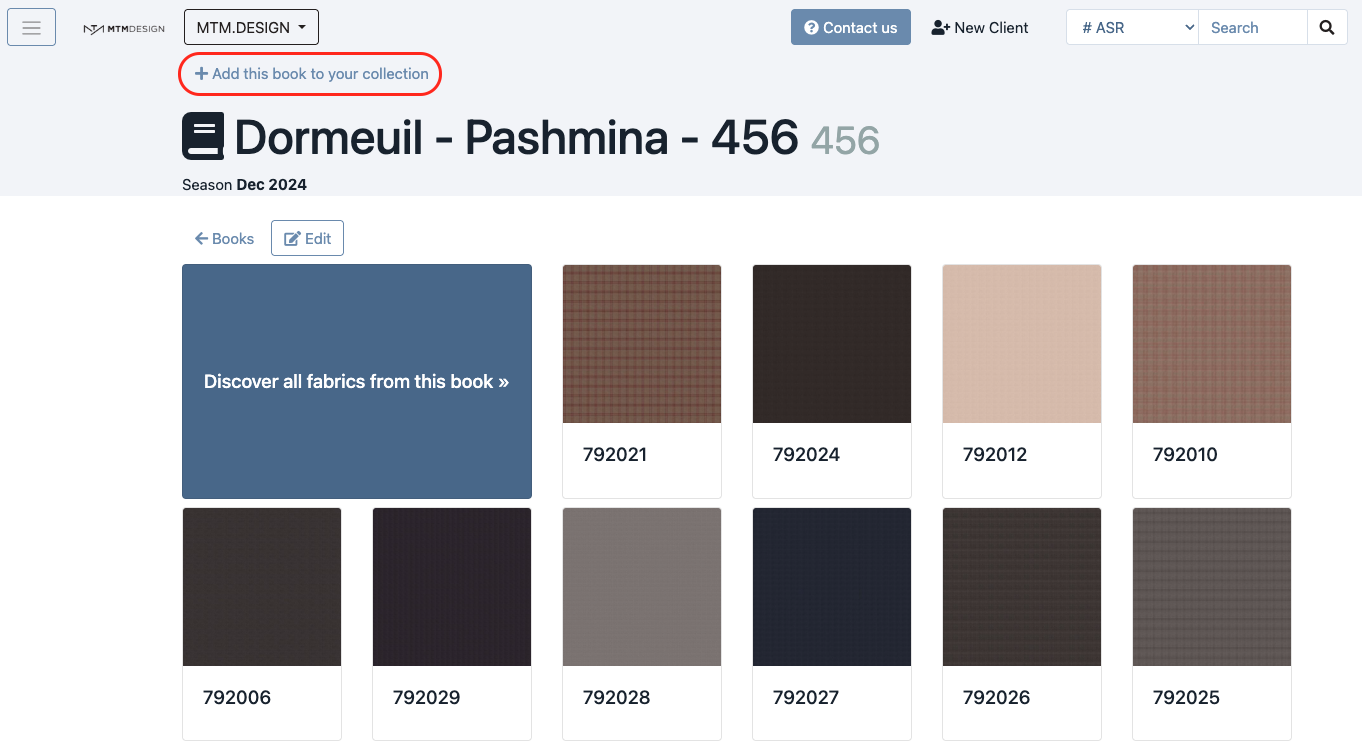
The book will now appear in your active collections.
Step 4: Add Multiple Books at Once (Batch Add)
If you’d like to add several books at the same time:
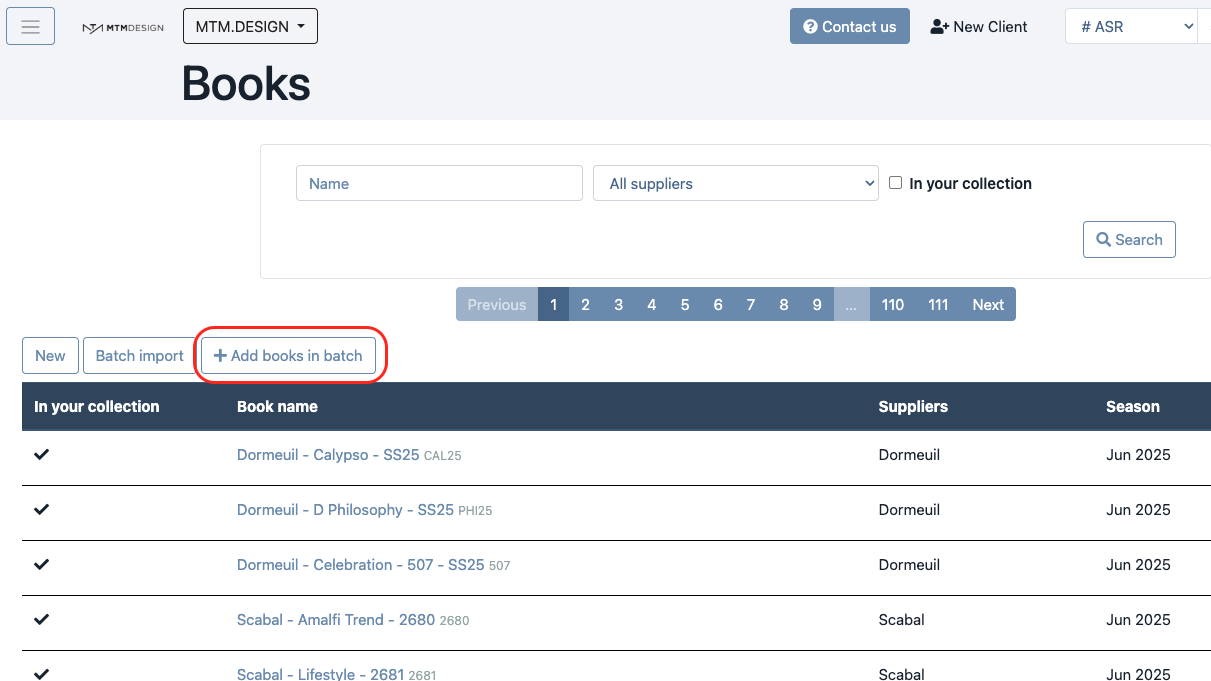
Click on “Add Books in Batch.”
Select all the books you wish to addo your collection.
Click “Add selected books.”
If you have any questions or run into issues, don’t hesitate to contact our support team — we’re here to help!
Was this article helpful?
That’s Great!
Thank you for your feedback
Sorry! We couldn't be helpful
Thank you for your feedback
Feedback sent
We appreciate your effort and will try to fix the article