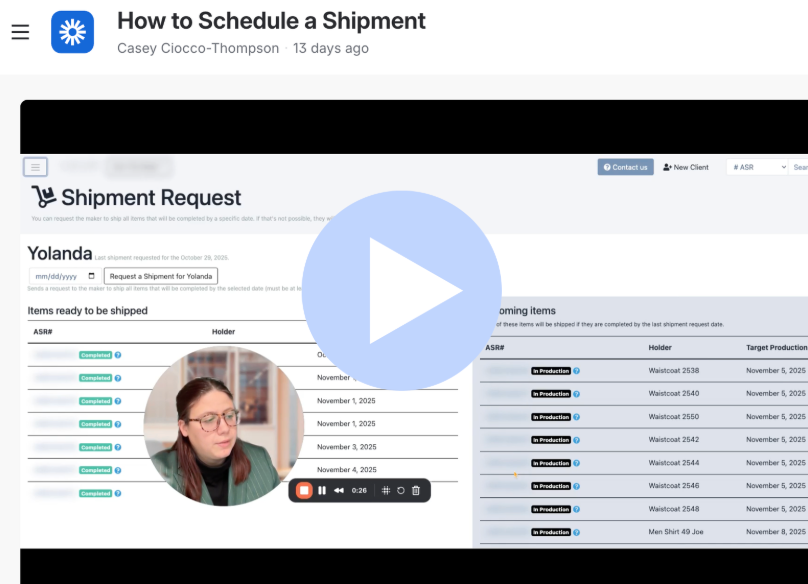
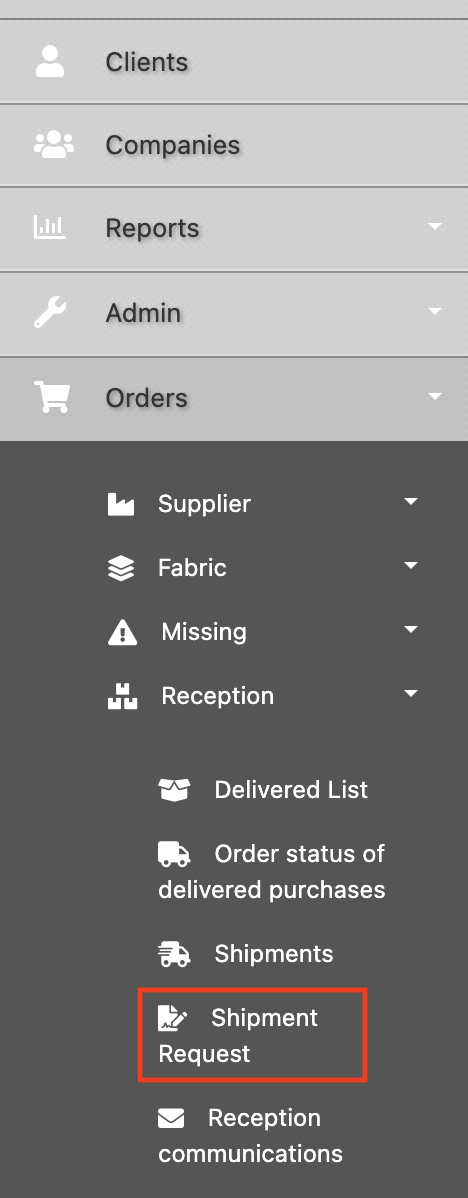
If your brand is not set up for regular weekly shipments, you can make a request for one through the Shipments Request page (Menu > Orders > Reception > Shipments).
If you have orders that are In Production or Completed, you’ll see 2 lists: Items ready to be shipped and Upcoming items.
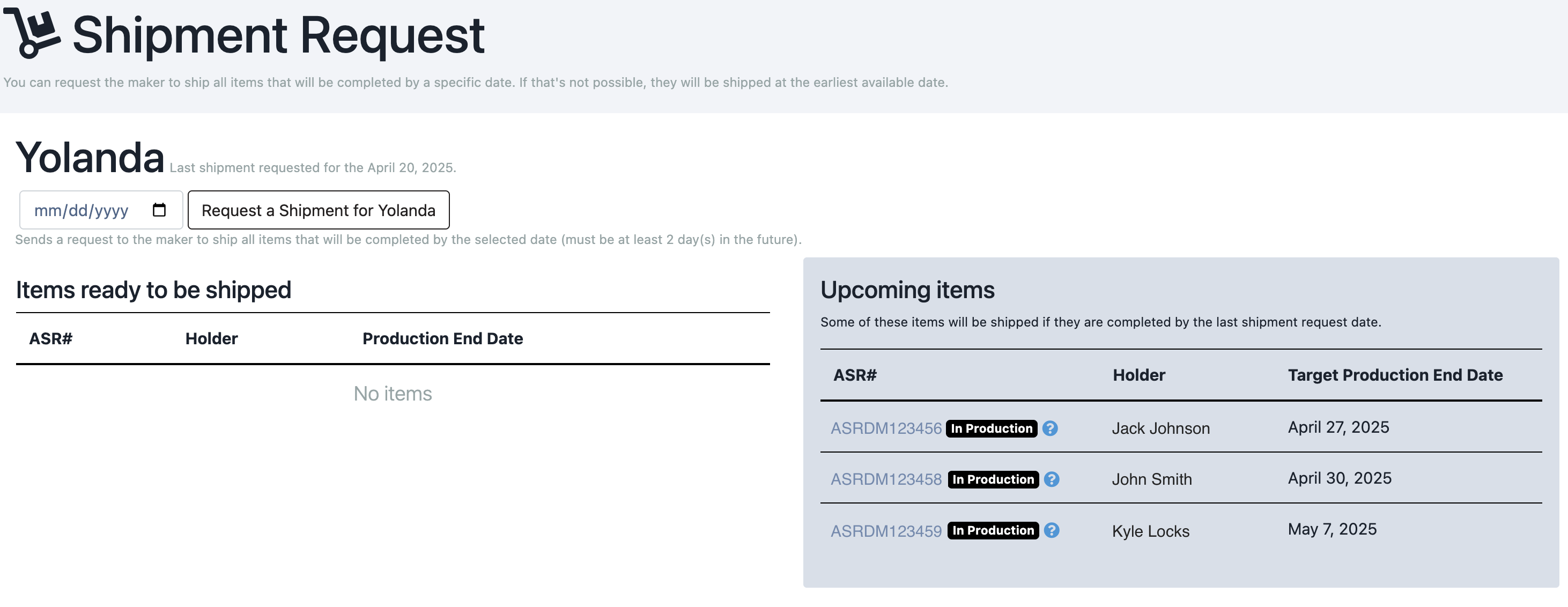
When you click the "Request a Shipment for Yolanda" button at the top of the list, all of your items that are ready will be shipped within the maker’s next 2 working days (or, the day you request from the calendar). When the request is sent, these lists will be empty (since all active items are planned for a shipment). The last request date will also be at the top of the page (next to "Yolanda"). If any upcoming items become ready in the meantime, they’ll also be included. You will not be able to choose specific items to ship - everything that’s ready will be sent.
We usually receive shipment confirmation from the maker within 24-48 hours. When received, the Studio and all applicable orders will be updated with a packing list and DHL tracking number. These can be viewed on your Shipments page (accessible from your Dashboard or Menu): 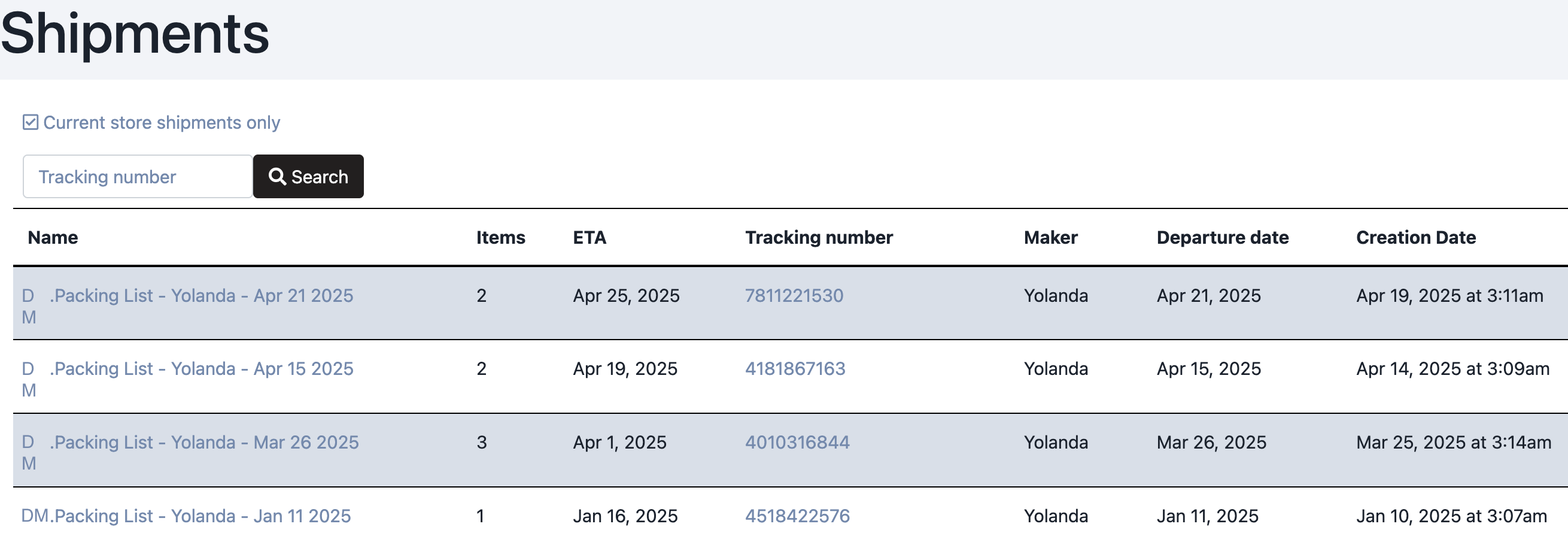
Sometimes, you might need a faster shipment time, so the order might require submitting request a rush. Please reach out to Help with any questions regarding turnaround time, shipment dates or more.
Was this article helpful?
That’s Great!
Thank you for your feedback
Sorry! We couldn't be helpful
Thank you for your feedback
Feedback sent
We appreciate your effort and will try to fix the article