Follow these simple steps to create and order a sweaters using the MTM.Design platform.
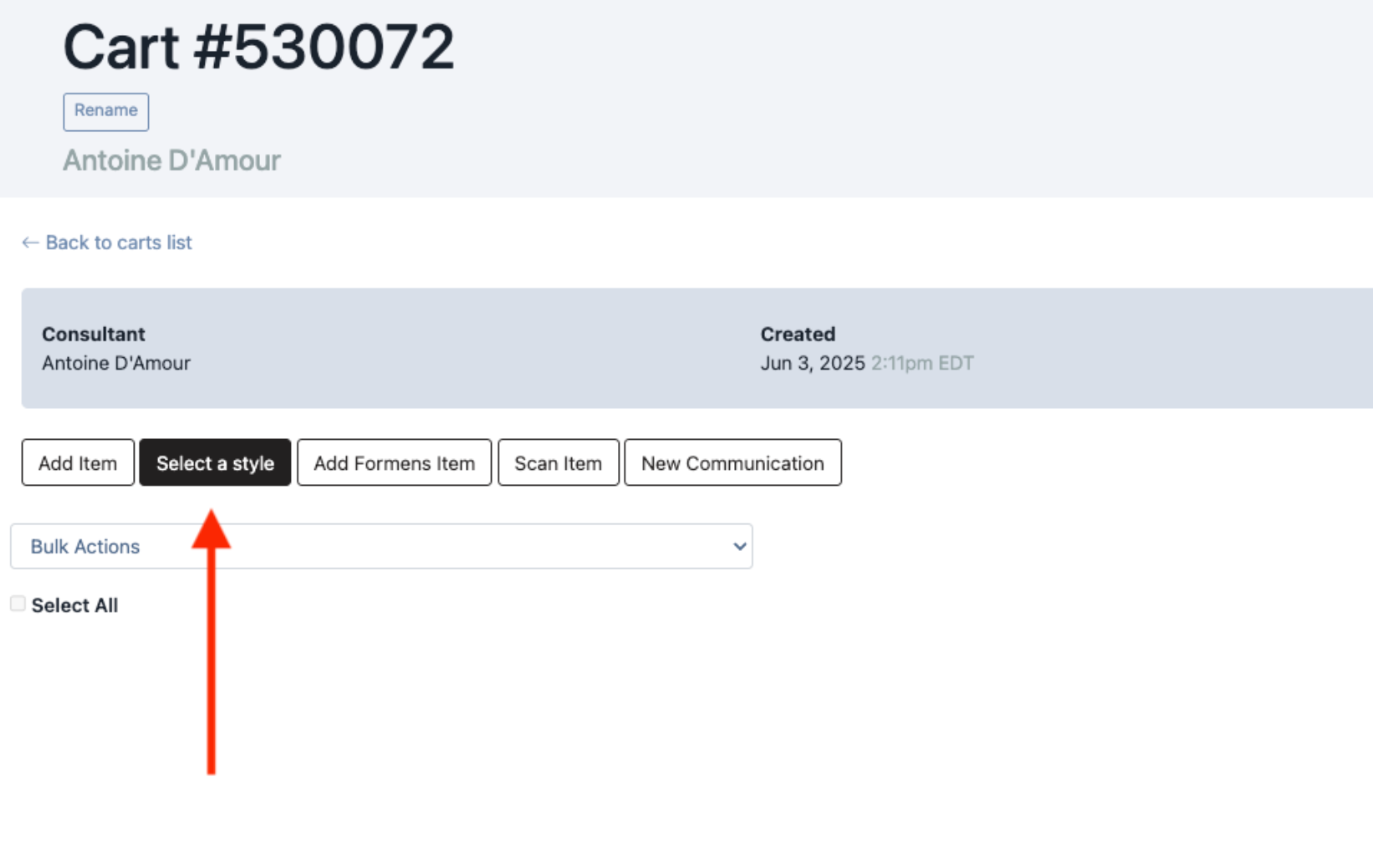
1 – Select Your Style
From the builder, go to the Select a style section
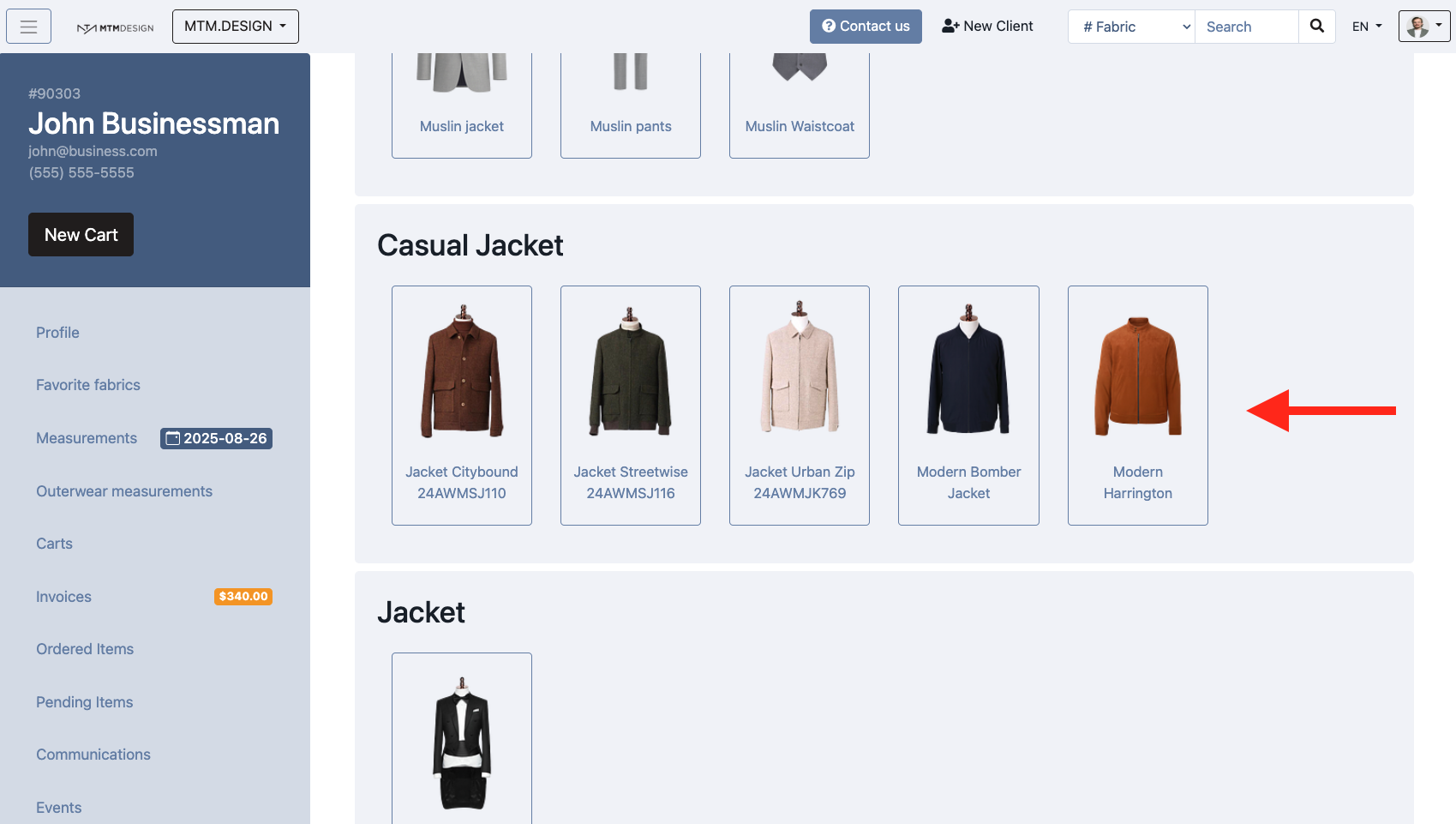
Select your style in the casual jacket section
3 – Add Measurements
To add finished measurements to your item:
Go to the Measurement page
Add casual jacket measurement
***If you use the Modern Bomber Jacket (raglan sleeves), make sure you modify the sleeve length to reflect the following measuring method ⬇️.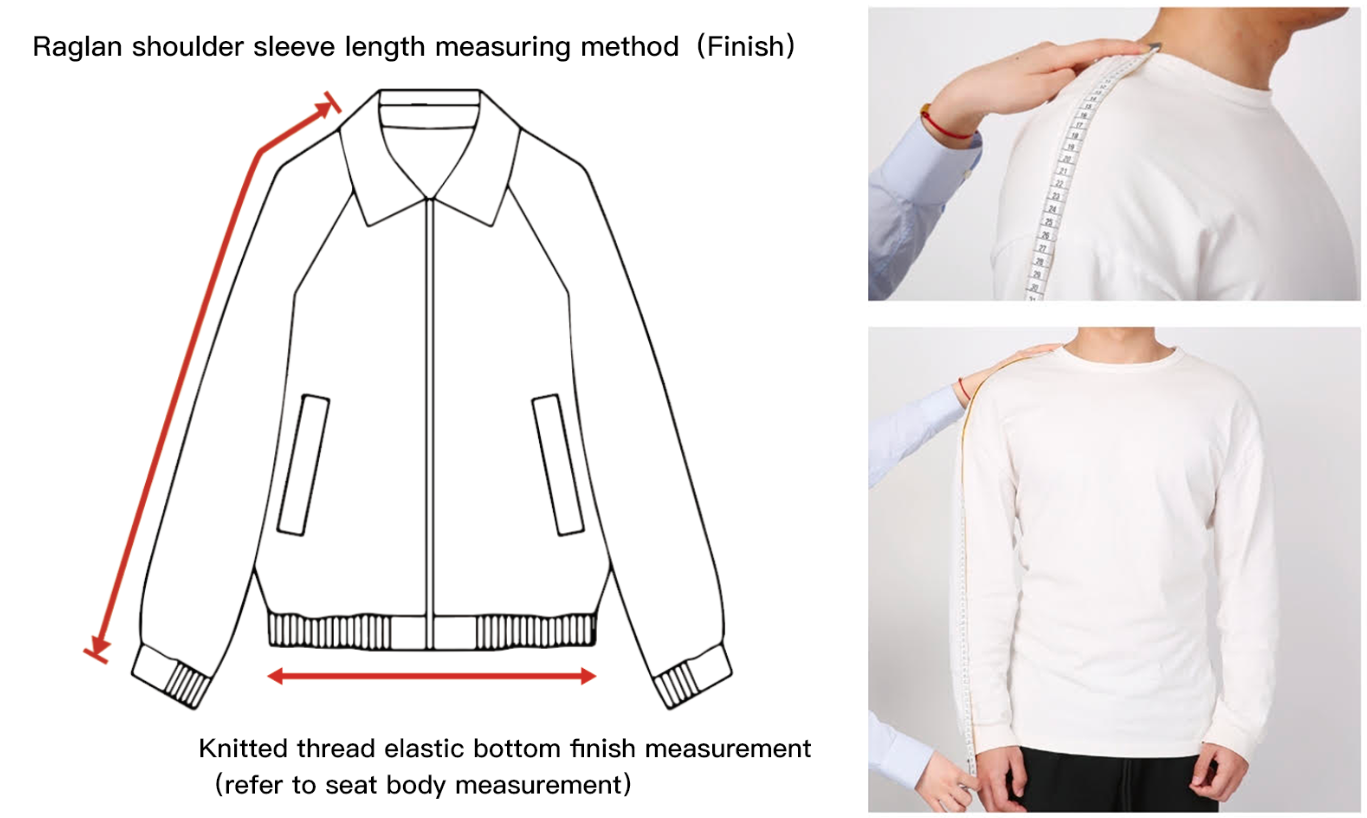 -Retail pricing cannot be set up at the moment.
Was this article helpful?
That’s Great!
Thank you for your feedback
Sorry! We couldn't be helpful
Thank you for your feedback
Feedback sent
We appreciate your effort and will try to fix the article