A brand default is a choice the Studio makes for you every time someone builds an item. In the new builder it does not live on a Settings page. You set it inside the builder, on the part you are looking at, which means you can decide it the moment you notice you are always changing the same thing.
Who can set one
Users marked Brand master or Brand Store Manager. A sales user builds items normally and never sees the link, so the defaults of your brand cannot be changed by accident.
How to set one
Open any item of the style in the builder. Find the part, either by scrolling or with Search parts by name, and choose the option your brand sells most of the time. Under the options, click Set as default for my brand on this style and confirm.
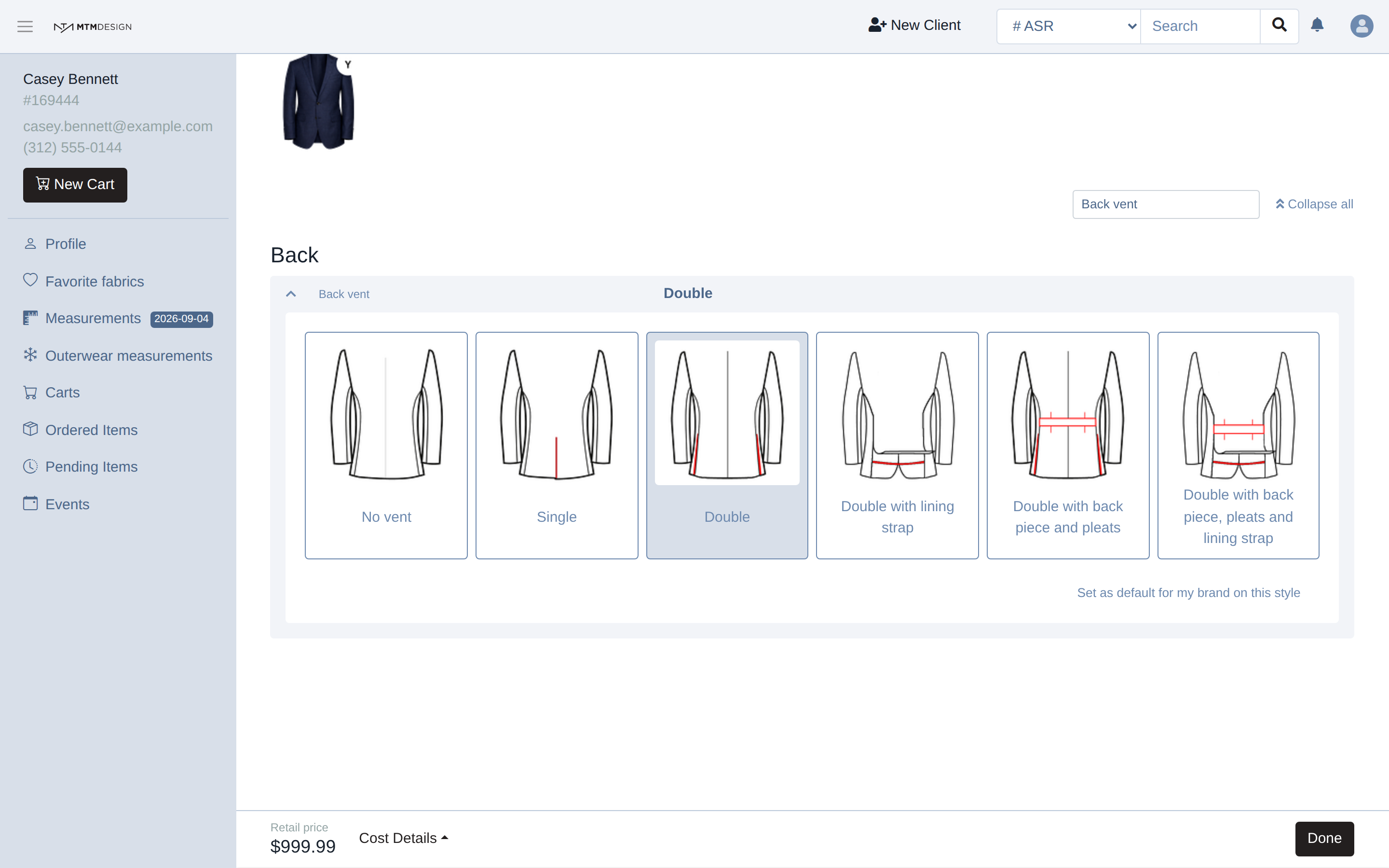
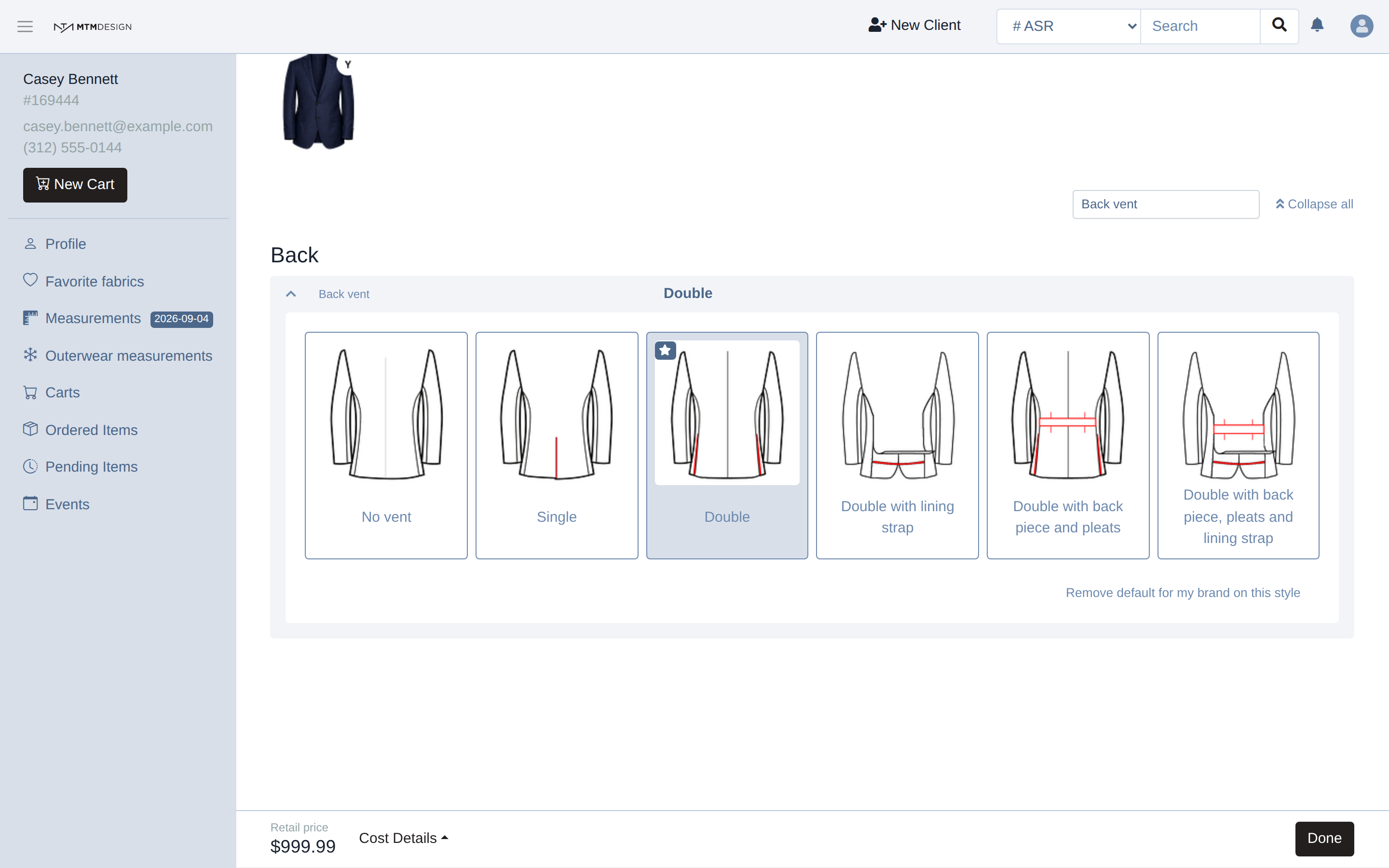
From then on, every new item of that style starts with your choice already made. A star on the option shows which one your brand chose, and the link changes to Remove default for my brand on this style, which is how you know it worked.
What it changes, and what it does not
The default applies to new items only. Items already in a cart keep what they had, and orders already placed are never touched.
It applies to that part, on that style. A jacket and a pair of trousers are two styles, and so are two jackets from two different makers, so each one carries its own defaults. It applies to the whole brand, every store and every consultant, not to the store you happen to be working in.
The link only appears when your choice is different from what the style already does. If you pick the option the style uses on its own, there is nothing to set, so nothing appears.
Where it is worth doing
Two cases pay for themselves. The first is a part that has no default at all: on a Yolanda jacket, the back vent and the buttons are required and empty, so every jacket is stopped from going into production until someone chooses them. A brand default fixes that once for everybody.
The second is the part your consultants change on every single item: a lapel, a vent, a lining, a button colour that matches your house style. Setting it as the default takes one click and saves that click on every item after it.
Changing your mind
Open the part again and click Remove default for my brand on this style. New items go back to what the style does on its own, and again, nothing already built changes.
What happened to the old Brand Config page
The old builder had a page under Admin with a list of garments and a default for each. That page belongs to the old builder and does nothing for the new one. If your store works in the new builder, the builder itself is the only place where your defaults are set.
Was this article helpful?
That’s Great!
Thank you for your feedback
Sorry! We couldn't be helpful
Thank you for your feedback
Feedback sent
We appreciate your effort and will try to fix the article